

The provider decides what becomes part of the record.
Generated content remains editable. Review and signature establish the final note; the system does not autonomously make clinical decisions.
For chiropractic, PT and rehab, acupuncture, integrative, and mixed clinical teams: capture the encounter or dictate afterward. Charts structures the draft and suggests ICD-10 and CPT context while the provider keeps final control.
Published plans: Charts Lite $199 · Charts Core $349 · Charts Plus $499 per month
Automation accelerates the work; it does not remove clinical judgment or the provider signature.
Record the encounter or add a focused post-visit dictation.
Generate a draft using the selected discipline, note type, and template.
Inspect clinical content, completeness flags, diagnoses, and code suggestions.
Finalize the record and pass approved visit context toward checkout and billing.
This capture comes from the authorized Charts demo tenant with synthetic records. The interface keeps recording, note output, and code output in the same clinical workspace.
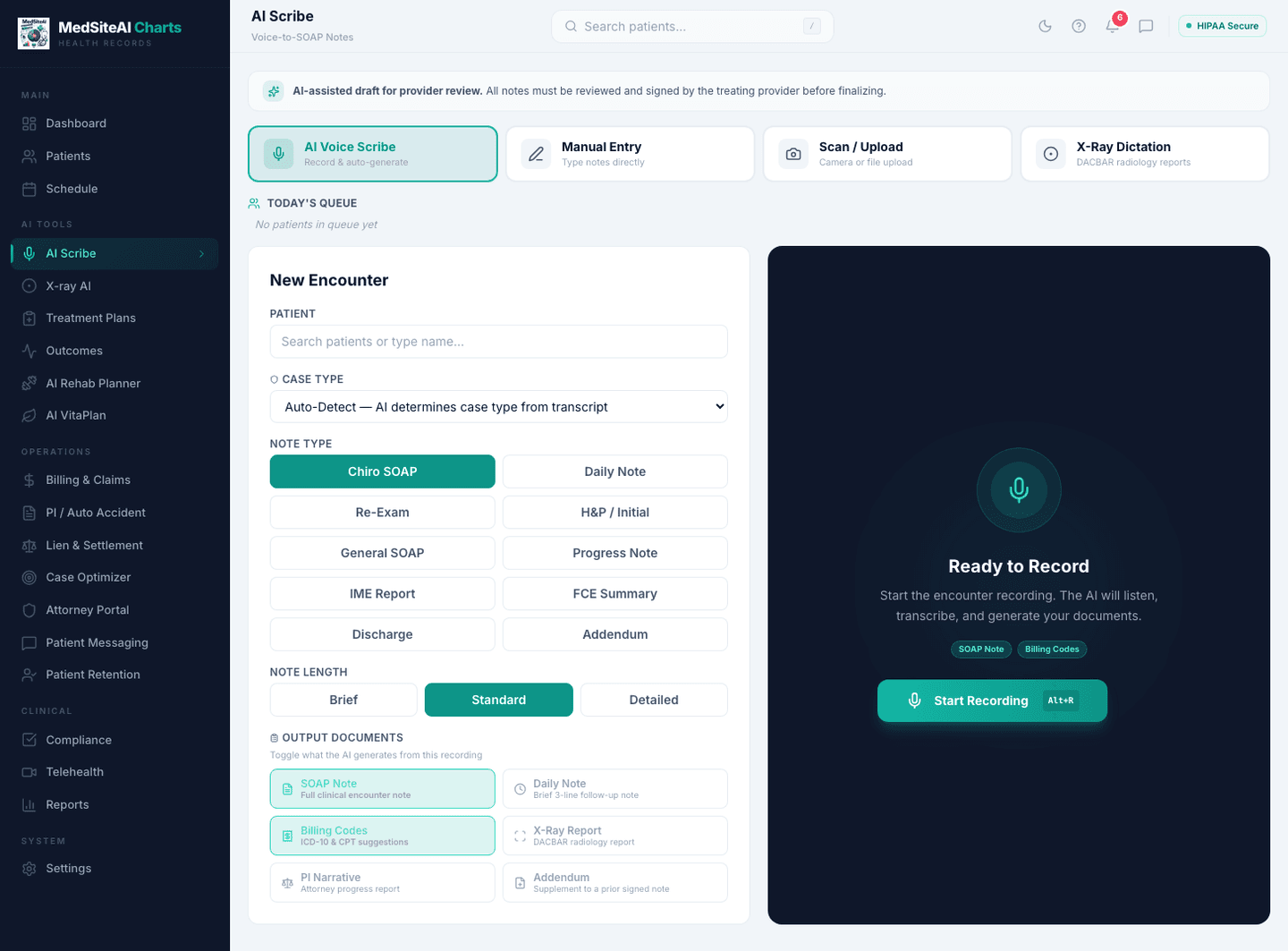
History, prior notes, diagnoses, documents, treatment-plan context, and the current encounter stay accessible without moving text between products.
Generated content remains editable. Review and signature establish the final note; the system does not autonomously make clinical decisions.
Insight checks can call attention to completeness, repetition, coding alignment, and documentation risk while preserving the reviewer audit trail.
Diagnoses, services, patient, provider, and encounter information connect to checkout, superbill review, payer rules, and claims.
A mixed team can use one patient, schedule, claim, and report without forcing every clinician into the same note structure.
Direct answers about fit, migration, ownership, AI review, and the connected platform.
No. The scribe creates an AI-assisted draft and coding suggestions. The treating provider reviews, edits, and signs the record before it is finalized.
Yes. The workflow supports ambient encounter capture and post-visit dictation. In both cases, the output remains a draft until the provider reviews, edits, and signs it.
Charts is designed around discipline- and note-type-aware structures for chiropractic, physical therapy and rehab, acupuncture, integrative care, and mixed clinical teams.
ICD-10 and CPT suggestions appear in the documentation workflow for clinical review. Approved visit context can then continue into the superbill and claims workflow without re-keying the patient and encounter.
Yes. Teams can define reusable evaluation, daily-note, progress-note, discharge, goal, table, and custom content structures alongside the AI-assisted draft workflow.
We’ll show the capture, draft, review, coding context, and chart handoff with synthetic patient data.